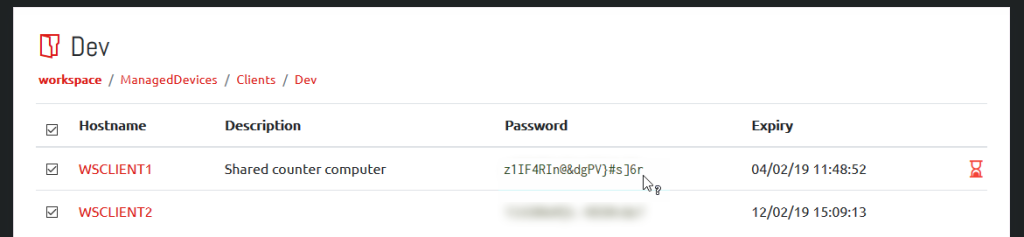
Selecting one or more computers by clicking the checkbox next to their name and then clicking the “Display Passwords” button will retrieve the current password information for all of the selected computers. When retrieved, passwords are blurred for security reasons and can be displayed by hovering over the password or toggled between blurred and displayed by clicking it.